
What Is NVIDIA RTX Spark?
The next stage of the AI PC race is moving beyond small AI features such as background blur, webcam effects and basic on-device assistants.
NVIDIA’s RTX Spark is designed for a different type of user: people who want to run larger AI models, build AI applications, use AI agents, create content and play RTX games from the same Windows computer.
RTX Spark is not a single laptop or desktop. Instead, it is a new NVIDIA computing platform that manufacturers can build into different Windows PCs.
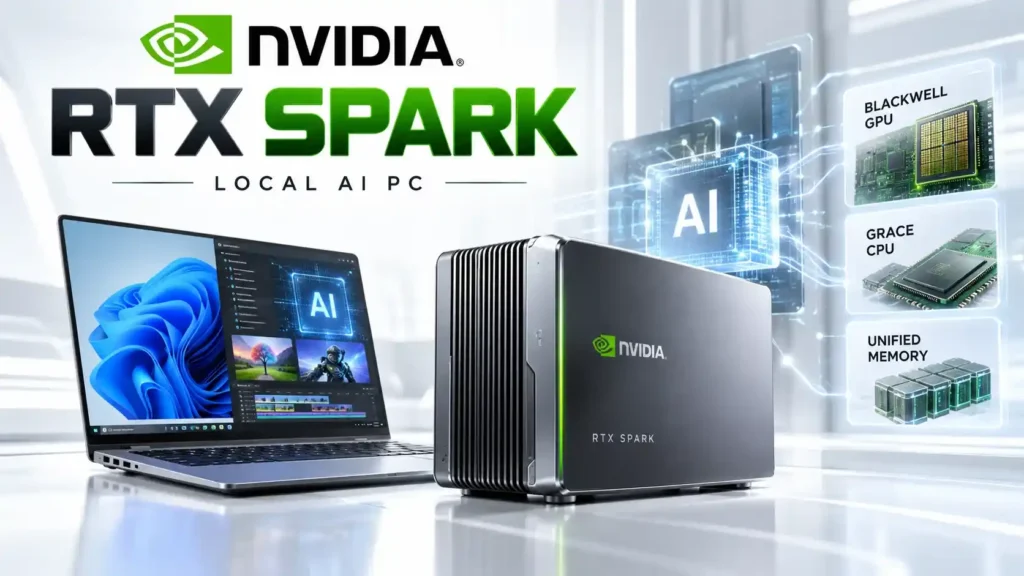
At its heart is a combination of a NVIDIA Blackwell GPU and Grace CPU, connected through a unified memory architecture. NVIDIA says its highest RTX Spark configuration can provide up to 6,144 CUDA cores, a 20-core Grace CPU and 128GB of unified LPDDR5X memory. That large memory capacity is particularly important for local AI.
Instead of sending an AI request to a remote data center, RTX Spark is designed to give developers and advanced users enough local computing resources to run supported AI models directly on their own PCs. NVIDIA announced the platform in 2026, with the first Windows RTX Spark systems scheduled to arrive in October 2026.
NVIDIA RTX Spark Specifications
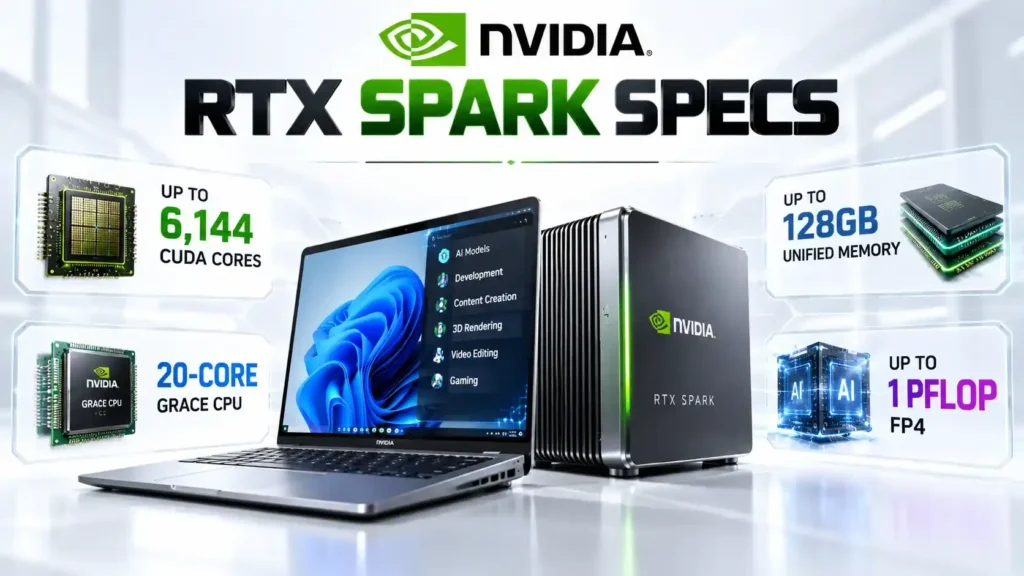
RTX Spark does not have one fixed specification because NVIDIA is offering different configurations for different PC designs.
| Specification | NVIDIA RTX Spark |
|---|---|
| Architecture | NVIDIA Blackwell |
| GPU | Up to 6,144 CUDA cores |
| CPU | Up to 20-core NVIDIA Grace |
| AI Performance | Up to 1 PFLOP FP4 |
| Unified Memory | Up to 128GB LPDDR5X |
| Tensor Cores | 5th generation |
| Ray-Tracing Cores | 4th generation |
| Memory Architecture | Unified |
| Operating System | Windows 11 |
| AI Software | CUDA, TensorRT and NVIDIA RTX ecosystem |
| PC Types | Laptops and compact desktops |
NVIDIA also lists a lower configuration with 5,120 CUDA cores, an 18-core Grace CPU and up to 64GB of unified memory.
This is an important detail for buyers. A laptop carrying the RTX Spark name should not automatically be assumed to offer the same AI performance as a 128GB configuration.
📌 Read more:
- NVIDIA RTX Spark AI PC: Performance, Features, Price & Launch
- how much RAM do you need in a smartphone? 6GB vs 8GB vs 12GB vs 16GB
- Best AI Laptops in 2026: Which One Should You Buy?
- Apple Mac mini M6 & M5 Pro: Price, Specs, Features & Availability
- MacBook Neo Review 2026, A18 Pro, 8GB RAM, 256GB SSD: Is Apple’s Cheapest MacBook Worth Buying?
- Best ANC Earbuds of 2026: Top 5 Noise Cancelling Wireless Earbuds Compared
Why Is RTX Spark Different From a Normal PC?
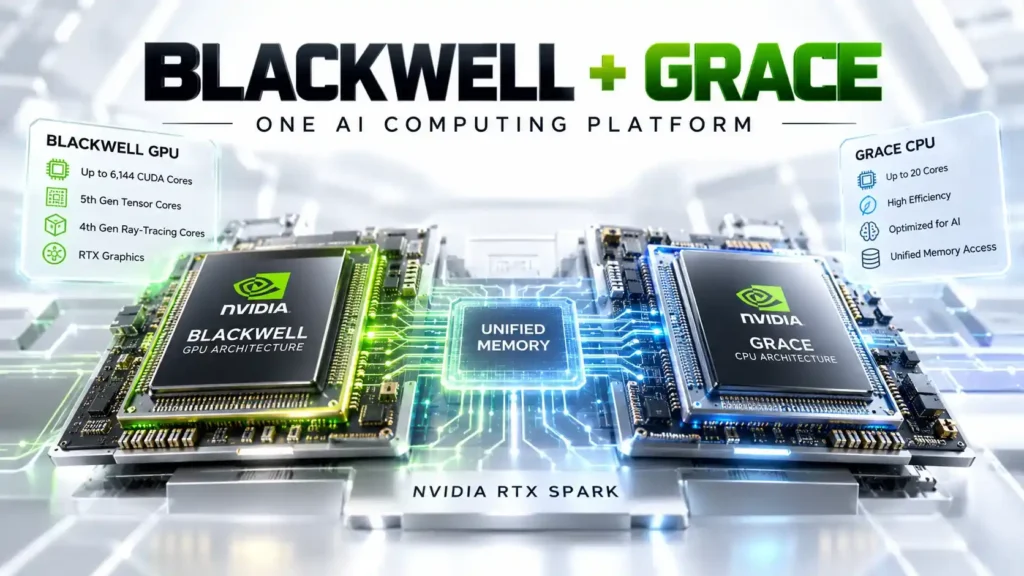
The easiest way to understand RTX Spark is to look at where the processor and memory normally sit. A conventional performance PC usually has:
- CPU → System RAM
- Discrete GPU → Dedicated VRAM
The CPU and GPU therefore operate with different memory pools. RTX Spark takes a different approach.
- Grace CPU + Blackwell GPU → Unified Memory
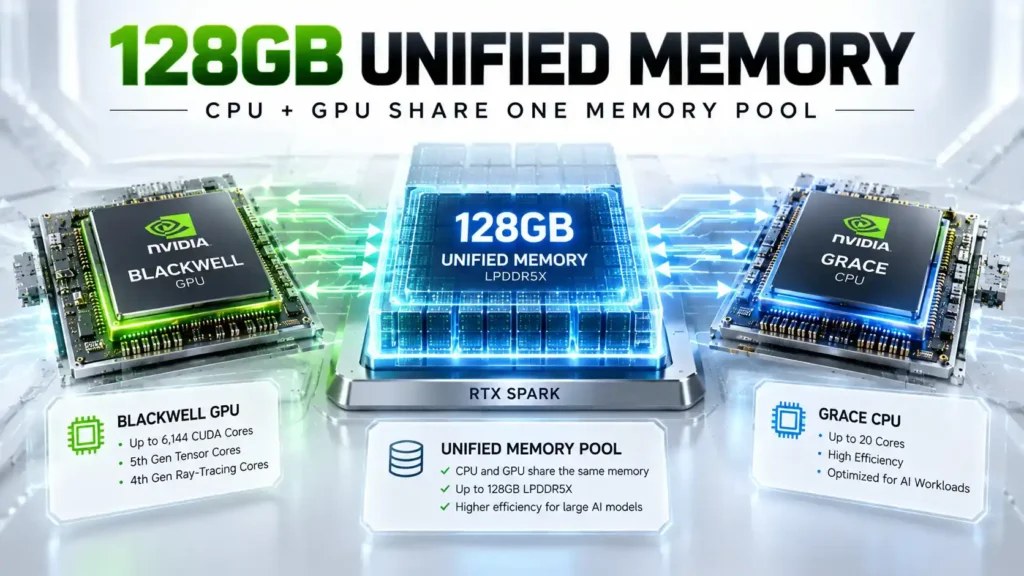
This means the CPU and GPU can work with the same large memory pool. For AI applications, this can be especially useful.
Large language models can require a significant amount of memory before they can even be loaded. Once a model is running, additional memory may be needed for context, applications and other processes.
NVIDIA’s top RTX Spark configuration offers up to 128GB of unified memory, giving compatible local AI workloads much more memory capacity than many mainstream AI laptops.
However, unified memory should not be misunderstood as simply being equivalent to 128GB of dedicated graphics VRAM.
Actual performance depends on memory bandwidth, the model being used, quantization, software optimization and the particular RTX Spark configuration.
Read: Samsung Galaxy F17 5G Review (2026), Best Phone Under ₹17000
RTX Spark AI Performance Explained
NVIDIA lists up to 1 PFLOP of FP4 AI performance for RTX Spark. That number sounds enormous, but it needs some explanation.
FP4 is a very low-precision numerical format designed for certain AI workloads. Lower precision can allow AI systems to perform more calculations while reducing the amount of memory required for particular operations.
But 1 PFLOP FP4 should not be compared directly with CPU performance or gaming FPS. It does not mean:
- 1 PFLOP of general computing
- 1,000,000 FPS
- a specific gaming benchmark
- identical performance across every AI model
NVIDIA says RTX Spark is designed to run models locally, including models with as many as 120 billion parameters and context windows of up to 1 million tokens under supported workloads.
Read: Best Camera Phones Under ₹30K in 2026: Real Camera
Why Local AI Could Be RTX Spark’s Biggest Feature

The most interesting part of RTX Spark may not be gaming. It is the ability to move more AI processing directly onto the computer. With cloud AI, the basic process looks like:
- PC → Internet → Cloud server → AI model → Internet → PC
- With local AI: PC → Local AI model → Result
That difference can matter for several reasons.
Privacy
A compatible local AI application can process information without sending it to a remote AI service. This could be useful for developers, businesses, researchers and creators working with sensitive material.
Latency
Local processing can remove the network trip to a cloud server for supported workloads.
Offline use
Once the model and required software are installed, compatible AI applications can potentially continue working without an internet connection.
Cloud costs
Running an AI model locally does not involve a cloud provider’s per-request or per-token inference charge. But local AI is not automatically cheaper in every situation.
Users still pay for the hardware, electricity and software, while cloud services may provide access to models that are too large or specialized for a local computer.
This is why RTX Spark should not be viewed as a complete replacement for cloud AI. It is better understood as another layer of AI computing.
RTX Spark and AI Agents
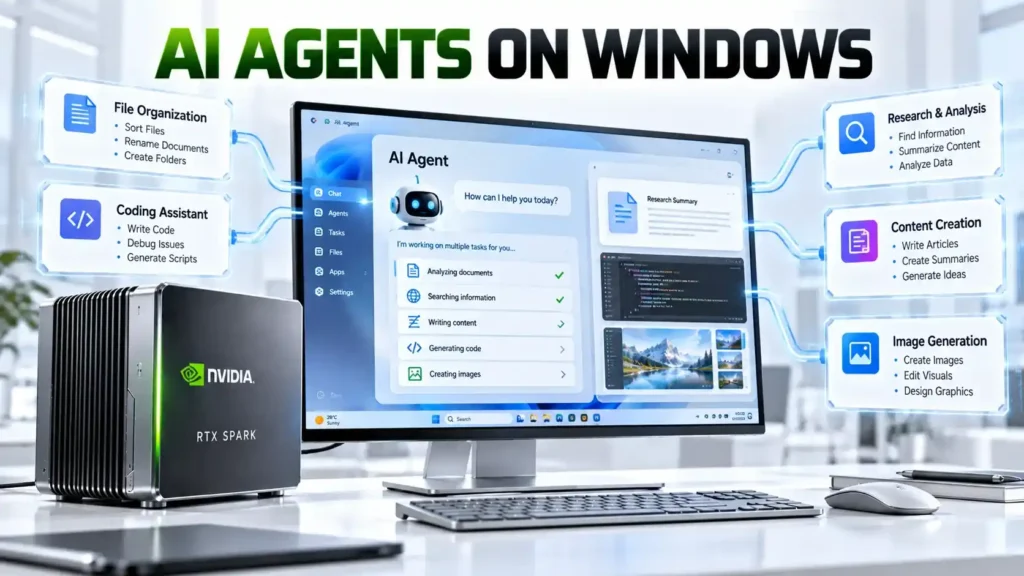
NVIDIA is also positioning RTX Spark around the growing AI-agent market. An AI agent is different from a basic chatbot. A chatbot might answer:
How do I organize these files?
An agent could potentially take the next steps itself, depending on the software permissions available. For example, a local agent could potentially:
- Sort files
- Write code
- Perform repetitive computer tasks
- Generate documents
- Assist with research
- Create content
- Complete multi-step workflows
NVIDIA has announced collaboration with Microsoft around Windows-native agent technology and OpenShell, with security controls intended to give agents a controlled environment in which to operate.
But there is an important limitation. Buying an RTX Spark PC does not mean every Windows application automatically becomes an AI-agent application. The experience will depend on the software, model, APIs and permissions available to the agent.
📌 Read more:
- Apple Event iPhone 18 Pro and iPhone 18 Pro Max, iPhone Duo & Apple Watch Series 12, Apple Watch Ultra 4 and AirPods 5.
- Apple iPhone 17 Series Features & Price in India 2025-26
- Best Camera Phones 2026: Top 5 Phones for Photography and Video
- Best Camera Phones Under ₹30K in 2026: Real Camera Comparison
- Best Phone Under ₹15000 in India (2026) – Top 10 Budget Picks
- Best Phones for BGMI & Free Fire in 2026: Smooth FPS, Zero Lag & Best Gaming Experience
RTX Spark for AI Developers
Developers are one of the clearest audiences for RTX Spark. NVIDIA’s long-established AI software ecosystem includes technologies such as:
- CUDA
- TensorRT
- Tensor Cores
- RTX acceleration
- NVIDIA AI frameworks
- Generative AI tools
- Computer vision libraries
This gives RTX Spark a different position from an AI PC that focuses mainly on consumer AI features. A developer could potentially use an RTX Spark system for:
- Model testing → Local inference → AI application development → Agent experiments
without needing to send every development workload to a remote GPU. This could be particularly useful when developers want to experiment with models locally before deploying applications to larger cloud infrastructure.
Still, compatibility matters. A large memory capacity does not guarantee that every AI framework or model will run efficiently.
Read: Xiaomi Watch S5 46mm vs Redmi Watch 6 NFC vs Redmi Watch 6
RTX Spark for Creators
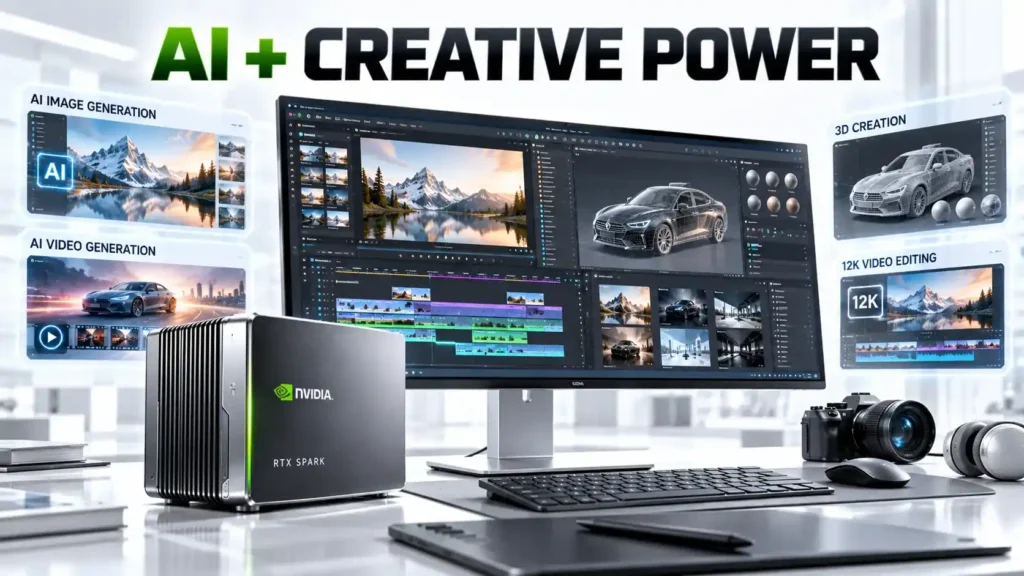
NVIDIA also sees RTX Spark as a creator machine. The company has highlighted workloads involving:
- 3D design
- Video editing
- AI image generation
- AI video generation
- Adobe applications
- Blender
- NVIDIA Studio
- Large 3D projects
NVIDIA says supported RTX Spark configurations can handle 90GB-plus 3D scenes and 12K 4:2:2 video workflows.
These are manufacturer-reported capabilities. They should not be interpreted as independent GadiAurMobile performance testing.
For creators, the appeal is straightforward: one machine can potentially handle traditional creative applications while also providing substantial local AI processing power.
📌 Read more:
- Xiaomi Redmi Note 17 Pro (Global): Price, Specs & Full Review
- Xiaomi 18 Pro vs Xiaomi 18 Pro Max: Price, Specifications, Features and Full Review
- Xiaomi 17T Review: 5x Leica Zoom Cameras, 6500mAh Battery
- Xiaomi 17 vs iPhone 17 – कौन Best है? Full Comparison 2026
- Xiaomi 17 Series, Launch Date 2026, Price, Specs & Features
- Vivo V60e 5G: 200MP Camera, Top 6500mAh Battery at ₹29,999
RTX Spark Gaming Performance
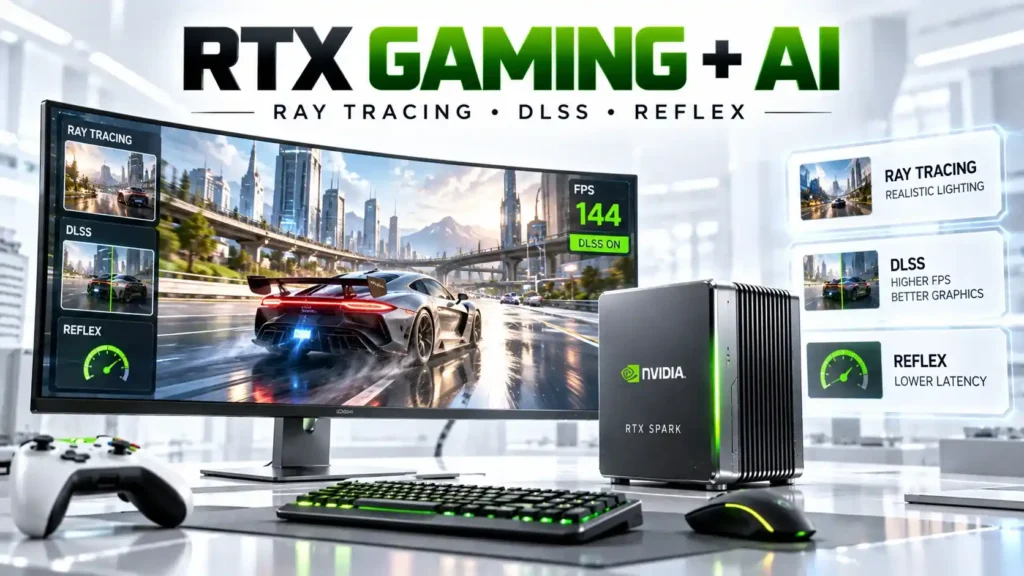
Although AI is the headline feature, RTX Spark is still an RTX platform. That means it supports NVIDIA technologies such as:
- Ray tracing
- DLSS
- NVIDIA Reflex
- G-SYNC
- RTX graphics acceleration
NVIDIA says RTX Spark can target 1440p AAA gaming at more than 100 FPS in supported scenarios when technologies such as ray tracing, DLSS and Reflex are used.
However, this is an NVIDIA claim rather than an independent benchmark. Actual gaming performance will depend on:
- The game
- Resolution
- Graphics settings
- Ray-tracing settings
- DLSS mode
- Driver version
- System power limits
- Cooling
- Specific RTX Spark configuration
This distinction will become particularly important once independent reviewers test retail RTX Spark laptops and desktops.
RTX Spark Laptop vs Desktop
RTX Spark is expected to appear in multiple form factors.
| Feature | RTX Spark Laptop | RTX Spark Desktop |
|---|---|---|
| Portability | High | Low |
| Battery | Yes | No |
| Cooling | OEM-dependent | OEM-dependent |
| Local AI | Yes | Yes |
| Gaming | Yes | Yes |
| Upgradeability | Usually limited | Depends on system |
| Ideal User | Mobile creators/developers | AI developers and power users |
The laptop versions will be more attractive to users who need their AI workstation while travelling. Compact desktop versions could make more sense for people who want a permanent AI development or creator machine.
Read: Best Phones for BGMI & Free Fire in 2026: Smooth FPS, Zero Lag
Which Companies Are Making RTX Spark PCs?
RTX Spark is being adopted by multiple PC manufacturers. NVIDIA currently highlights systems from companies including:
- ASUS
- Acer
- Dell
- GIGABYTE
- HP
- Lenovo
- MSI
NVIDIA’s RTX Spark lineup also includes Microsoft Surface designs. One example is the Lenovo Yoga Pro 9n, which was presented as part of Lenovo’s next-generation RTX Spark hardware around IFA 2026.
But buyers should check the exact processor and memory configuration before purchasing. The same product family can contain different hardware configurations depending on the market.
NVIDIA RTX Spark Price
There is no single price for RTX Spark. That is because RTX Spark is a platform rather than one finished computer. The final price can change depending on:
- Memory capacity
- SSD
- Screen
- Battery
- Cooling
- Laptop design
- Desktop chassis
- OEM
- Country
- Taxes
Therefore, saying NVIDIA RTX Spark price starting around $1,799 USD and high-end N1X variants starting around $2,899 USD would be misleading.
The more accurate approach is to check the price of the exact laptop or desktop configuration.
| System | Manufacturer | Type | Price |
|---|---|---|---|
| RTX Spark laptop | Multiple OEMs | Laptop | Varies by configuration |
| RTX Spark desktop | Multiple OEMs | Compact desktop | Varies by configuration |
| Lenovo RTX Spark system | Lenovo | Laptop | Market-dependent |
| ASUS RTX Spark system | ASUS | Laptop/Desktop | Market-dependent |
At publication time, buyers should treat unofficial or estimated retailer prices as estimates until the manufacturer or authorized retailer confirms the final selling price.
RTX Spark Launch Date
NVIDIA announced RTX Spark in 2026 and later confirmed that the first Windows RTX Spark PCs would arrive in October 2026. Reuters also reported the October launch timeframe, providing independent confirmation of the planned rollout.
However, launch timing is not necessarily the same in every country. A PC can be announced globally in October while arriving in another market later.
Therefore, Indian buyers should check the local NVIDIA partner or manufacturer’s official announcement before assuming a specific India release date.
RTX Spark vs Traditional AI PCs
The term AI PC covers many different types of computers. Some use an NPU for lightweight AI tasks. Others rely on an integrated GPU or discrete GPU. RTX Spark takes a more specialized approach.
| Feature | Conventional AI PC | RTX Spark |
|---|---|---|
| Local AI | Yes | Yes |
| CUDA | GPU-dependent | NVIDIA ecosystem |
| Large unified memory | Usually limited | Up to 128GB |
| Large local models | Configuration-dependent | Major focus |
| RTX graphics | Configuration-dependent | Yes |
| AI agents | Software-dependent | Major platform focus |
| Gaming | Depends on hardware | Yes |
| Cloud dependency | Not required | Not required for compatible local workloads |
The key difference is that RTX Spark is built around NVIDIA’s AI + graphics + CUDA ecosystem, rather than treating AI as a small additional feature.
📌 Read more:
- Xiaomi Watch S5 46mm vs Redmi Watch 6 NFC vs Redmi Watch 6
- Sony ULT Field 5 Review: The Best Portable Party Speaker Yet
- Samsung Galaxy Tab S11 Ultra Review: Best Samsung Tablet 2025
- OnePlus Nord Buds 4 Launched in India: Price, ANC, Battery Life & Features
- NVIDIA RTX Spark AI PC: Performance, Features, Price & Launch
- Nothing Ear 3 Review, Price in India, Specs, ANC & Battery
Who Should Consider RTX Spark?
AI Developers
Developers building AI applications, agents and local inference tools are one of the main target audiences.
Content Creators
Video editors, 3D artists and creators using AI-assisted workflows may benefit from the combination of GPU acceleration and large memory.
Researchers
Researchers experimenting with larger local models could benefit from the higher-memory configurations, provided their models and software are compatible.
Gamers
Gamers can use RTX features such as DLSS and ray tracing alongside AI workloads.
Power Users
Users who want a local AI workstation capable of handling development, content creation and automation may find the platform particularly interesting.
Basic PC Users
For someone who mainly uses:
- Chrome
- Microsoft Office
- YouTube
- Netflix
- Video calls
RTX Spark may simply provide more computing power than necessary.
RTX Spark: Advantages and Limitations
Advantages
- Up to 128GB unified memory
- Blackwell architecture
- Up to 6,144 CUDA cores
- Up to 20 Grace CPU cores
- Up to 1 PFLOP FP4 AI performance
- CUDA support
- Local AI capabilities
- AI-agent focus
- RTX gaming
- Creator acceleration
- Laptop and compact desktop options
Limitations
- Expected to be expensive compared with ordinary PCs
- Exact pricing depends on OEM
- Availability varies by market
- Software compatibility remains important
- Not every AI model will perform the same way
- Laptop performance depends on power and cooling
- Unified memory is different from dedicated VRAM
- NVIDIA’s performance figures are not independent benchmarks
Should You Wait for RTX Spark?
The answer depends on what you want from your next PC.
RTX Spark makes more sense to consider if you:
- Want to run AI locally
- Develop AI applications
- Use CUDA
- Experiment with large AI models
- Want local AI agents
- Create AI-generated content
- Need both AI and RTX graphics
A conventional PC may be more practical if you:
- Mainly browse the internet
- Use Office applications
- Do not run local AI
- Want maximum upgradeability
- Want to spend less
- Already have a suitable GPU
The biggest question after launch will not be whether RTX Spark has impressive specifications. It will be whether those specifications translate into meaningful real-world performance at the price manufacturers charge.
Independent reviews will need to test AI inference speed, gaming, thermals, battery life, sustained performance and software compatibility.
📌 Read more:
- 5 Best TWS Earbuds Under ₹3000 in India 2026: ANC, Battery, Sound and Features Compared
- Acer Nitro V15 2025 Powerful Gaming Laptop Review & Price
- Apple Mac mini M6 & M5 Pro: Price, Specs, Features & Availability
- ASUS Chromebook CM32 Detachable, CM14 & CM15 Launched in India: Price & Specs
- Best AI Laptops in 2026: Which One Should You Buy?
- Best ANC Earbuds of 2026: Top 5 Noise Cancelling Wireless Earbuds Compared
Final Verdict
NVIDIA RTX Spark is an attempt to make the Windows PC itself a serious local AI machine, rather than treating AI as an extra feature.
Its combination of Blackwell graphics, Grace CPU and up to 128GB of unified memory gives the platform a very different design from many conventional consumer PCs.
The CUDA ecosystem adds another important advantage for developers, while RTX technologies keep gaming and creative workloads part of the picture.
But the specifications alone do not tell the entire story.
The final buying decision will depend on OEM pricing, memory configuration, cooling, software support and independent benchmarks.
With RTX Spark Windows PCs scheduled to arrive from October 2026, the next important step will be seeing how these systems perform outside NVIDIA’s controlled demonstrations and specifications.
For developers and advanced users, RTX Spark could become an interesting bridge between a conventional Windows workstation and a dedicated AI development system. For ordinary PC users, however, its specialized hardware may be unnecessary.
NVIDIA RTX Spark FAQs
Q1. What is NVIDIA RTX Spark?
A1. RTX Spark is an NVIDIA computing platform combining a Blackwell GPU and Grace CPU for local AI, AI agents, content creation and RTX gaming.
Q2. Is RTX Spark a GPU or CPU?
A2. It combines both CPU and GPU technology into a single superchip rather than being simply a standalone GPU.
Q3. How much memory does RTX Spark have?
A3. The highest configuration offers up to 128GB of unified LPDDR5X memory, while another configuration supports up to 64GB.
Q4. How powerful is RTX Spark for AI?
A4. NVIDIA lists up to 1 PFLOP FP4 AI performance. Actual AI performance depends on the model, software and configuration.
Q5. Can RTX Spark run AI models locally?
A5. Yes. Local AI inference is one of the main purposes of the platform, with NVIDIA targeting support for very large models on compatible configurations.
Q6. Can RTX Spark run games?
A6. Yes. RTX Spark supports NVIDIA technologies including DLSS, ray tracing and Reflex.
Q7. How much will NVIDIA RTX Spark price ?
A7. There is no single NVIDIA RTX Spark price . Different OEMs will sell different systems, so pricing will depend on the configuration and market. The NVIDIA RTX Spark price around $1,799 (approx. ₹1,50,000) and high-end N1X configurations starting around $2,899 (approx. ₹2,45,000).
Q8. When will RTX Spark PCs launch?
A8. The first Windows RTX Spark PCs are scheduled for October 2026.
Q9. Which companies are making RTX Spark PCs?
A9. NVIDIA lists manufacturers including ASUS, Acer, Dell, GIGABYTE, HP, Lenovo and MSI, along with Microsoft Surface designs.
Q10. Is RTX Spark better than a traditional AI PC?
A10. RTX Spark is designed for a different level of local AI capability, particularly through its unified-memory architecture and NVIDIA software ecosystem. Whether it is the right choice depends on the user’s workload, budget and software requirements.
Disclaimer: Product prices, features, and specifications mentioned on this website may change without notice. Please check the official brand website or trusted retailers for the latest updates before making any purchase.
Related Posts
- NVIDIA RTX Spark AI PC: Performance, Features, Price & Launch
- how much RAM do you need in a smartphone? 6GB vs 8GB vs 12GB vs 16GB
- Best AI Laptops in 2026: Which One Should You Buy?

- Apple Mac mini M6 & M5 Pro: Price, Specs, Features & Availability
- MacBook Neo Review 2026, A18 Pro, 8GB RAM, 256GB SSD: Is Apple’s Cheapest MacBook Worth Buying?
- Best ANC Earbuds of 2026: Top 5 Noise Cancelling Wireless Earbuds Compared

- Xiaomi Watch S5 46mm vs Redmi Watch 6 NFC vs Redmi Watch 6
- OnePlus Nord Buds 4 Launched in India: Price, ANC, Battery Life & Features
Latest Phone
- iQOO Z11 5G
 ₹39,999
 - Lava Virat Curve 5G
 ₹20,999
 - OnePlus N6 Lite 4G
 ₹16,999
 - AI+ Nova 2 Power 5G
 ₹16,999
Latest Car
- Mahindra Thar OG vs Thar Roxx: Price, Features, Dimensions and Key Differences

- Tata Aeris 2026 Price, Specifications, Features, Variants and Mileage

- Mahindra XUV 3XO REVX EDGE Launched: Price, Features & Specs

- Tata Sierra Legend Series Launched: Price, Features and Variants

- Mahindra Thar Facelift 2026: Price, Features, Specifications and What’s New

- Tesla Cybercab Robotaxi Launches in Austin: Price, Features & How It Works

- Kia Sorento 2026 Price, Features, Specifications and Launch Detail

- Toyota Hilux 2026 Review, Price, Features, Performance & Should You Buy It?

Latest Mobile
- Best Smartphones for Students in 2026: Battery, Performance, Camera and Value

- Xiaomi 18 Pro vs Xiaomi 18 Pro Max: Price, Specifications, Features and Full Review
- Apple Event iPhone 18 Pro and iPhone 18 Pro Max, iPhone Duo & Apple Watch Series 12, Apple Watch Ultra 4 and AirPods 5.

- POCO F9 Ultra Price, Specifications, Features and Full Review
- Best Camera Phones 2026: Top 5 Phones for Photography and Video

- Best Phones With 8000mAh Battery in 2026

- Google Pixel 11 vs Pixel 11 Pro vs Pixel 11 Pro Fold: Which Pixel Should You Buy?

- iPhone 18 Pro Everything We Know So Far About Apple iPhone 18 Pro 2026

Aman is a content writer specializing in technology and automobile topics, including smartphones, gadgets, car reviews, and electric vehicles. He creates clear and informative articles that help readers understand the latest updates, features, and trends in a simple and reliable way.