
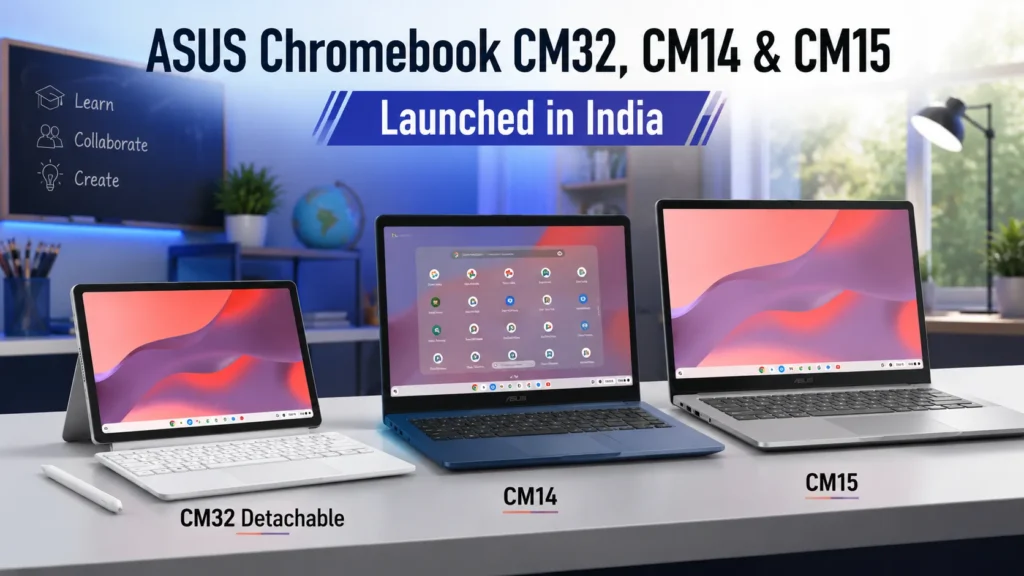
ASUS has expanded its Chromebook portfolio in India with the launch of the ASUS Chromebook CM32 Detachable, Chromebook CM14, and Chromebook CM15. The new lineup targets students, teachers, professionals, hybrid workers, and first-time laptop buyers who are looking for affordable, secure, and cloud-focused computing devices.
With ChromeOS becoming increasingly popular in educational institutions and remote work environments, ASUS is positioning these new Chromebooks as practical alternatives to traditional Windows laptops. The lineup includes a versatile detachable Chromebook for mobility-focused users and larger notebook-style options for productivity and everyday computing.
ASUS Chromebook CM32 Detachable Launch Highlights
The ASUS Chromebook CM32 Detachable is undoubtedly the highlight of the new launch. Unlike conventional laptops, this model features a detachable design that allows users to switch seamlessly between tablet and laptop modes.
The device is designed for users who prioritize flexibility, portability, and touch-based productivity. ASUS bundles support for a USI stylus, making the Chromebook suitable for note-taking, sketching, annotation, and classroom usage.
Key launch highlights include:
- 2-in-1 detachable design
- Lightweight and portable form factor
- Touchscreen display
- USI stylus support
- ChromeOS platform
- Long battery life
- Military-grade durability certification
The CM32 Detachable aims to provide a tablet-like experience while retaining the productivity advantages of a traditional laptop.
📌 Discover more: Huawei MateBook Fold Ultimate: Perfect 18” Foldable Laptop
ASUS Chromebook CM32 Detachable Specifications
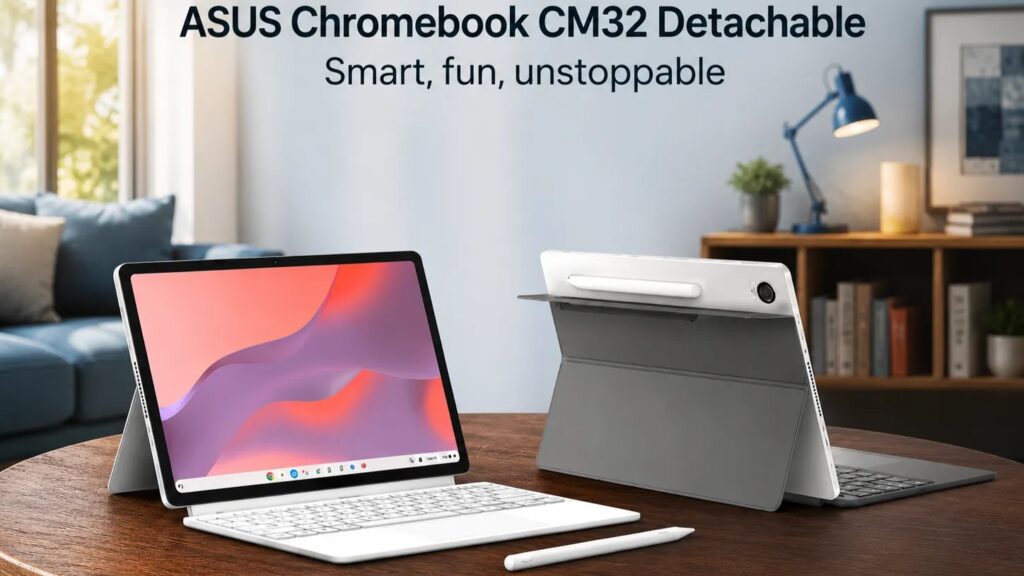
The ASUS Chromebook CM32 Detachable is built around a compact 10.5-inch WUXGA touchscreen display that offers a resolution of 1920 x 1200 pixels.
The screen’s 16:10 aspect ratio provides additional vertical space, making web browsing, document editing, and online learning more comfortable.
Display
- 10.5-inch WUXGA touchscreen
- 1920 x 1200 resolution
- 16:10 aspect ratio
- Touch support
- Stylus compatibility
Performance
Powering the Chromebook is a MediaTek Kompanio series processor designed specifically for ChromeOS devices. The chipset focuses on:
- Efficient multitasking
- Smooth web browsing
- Video conferencing
- Android app compatibility
- Excellent battery efficiency
While it is not intended for heavy gaming or demanding content creation workloads, it delivers sufficient performance for everyday productivity tasks.
Detachable Keyboard
The included detachable keyboard transforms the device into a compact laptop whenever needed. Benefits include:
- Comfortable typing experience
- Easy transition between modes
- Better productivity during work or study sessions
USI Stylus Support
One of the standout features is support for a Universal Stylus Initiative (USI) pen. This enables:
- Digital note-taking
- Document annotation
- Creative sketching
- Classroom collaboration
Students and educators are likely to appreciate this addition.
Durability
ASUS has designed the CM32 Detachable to meet military-grade durability standards, helping it withstand daily wear and tear.
The rugged construction makes it particularly suitable for educational environments where devices often experience rough handling.
Battery Life
Battery life remains one of the strongest advantages of the Chromebook platform.
The CM32 Detachable is designed to deliver all-day usage, reducing the need for frequent charging during classes, meetings, or travel.
| Specification | Details |
|---|---|
| Model | ASUS Chromebook CM32 Detachable (CM3206) |
| Operating System | ChromeOS |
| Form Factor | 2-in-1 Detachable Chromebook |
| Display Size | 10.5-inch Touchscreen |
| Display Resolution | WUXGA (1920 × 1200 pixels) |
| Aspect Ratio | 16:10 |
| Touch Support | Yes |
| Stylus Support | USI Stylus |
| Processor | MediaTek Kompanio 520 |
| Graphics | Integrated ARM Mali Graphics |
| RAM | Up to 8GB LPDDR4X |
| Storage | Up to 128GB eMMC |
| Rear Camera | 8MP Autofocus Camera |
| Front Camera | 5MP Webcam |
| Wireless Connectivity | Wi-Fi 6, Bluetooth 5.3 |
| Ports | USB Type-C, Audio Combo Jack |
| Audio | Stereo Speakers, Microphone |
| Security | Titan C Security Chip |
| Keyboard | Detachable Full-Size Keyboard |
| Trackpad | Precision Touchpad |
| Battery Capacity | 38Wh |
| Claimed Battery Life | Up to 12 Hours |
| Durability | US MIL-STD-810H Military Grade |
| Weight (Tablet Only) | Approx. 610g |
| Weight (With Keyboard & Cover) | Approx. 1.1kg |
| Color | Mineral Gray |
| Google Play Store Support | Yes |
| Android Apps Support | Yes |
| Google Workspace Support | Yes |
| Best For | Students, Teachers, Online Classes, Note-Taking, Travel Productivity |
📌 Discover more: Acer Nitro V15 2025 Powerful Gaming Laptop Review & Price
ASUS Chromebook CM14 Specifications
For users who prefer a traditional laptop design, the ASUS Chromebook CM14 offers a balanced combination of portability and productivity. The 14-inch display size hits a sweet spot between mobility and workspace comfort.
Key Features
- 14-inch display
- ChromeOS operating system
- Lightweight design
- Student-focused usability
- Long battery life
Everyday Productivity
The CM14 is ideal for:
- School assignments
- Online classes
- Web browsing
- Email management
- Office productivity
- Streaming content
Its compact footprint makes it easy to carry between classrooms, offices, or remote work locations.
Student-Friendly Design
ASUS has clearly targeted students with the CM14.
The Chromebook offers:
Simple setup process
Fast startup times
Secure cloud storage integration
Reliable day-to-day performance
For users transitioning from smartphones or tablets to a laptop environment, the CM14 provides a straightforward learning curve.
ASUS Chromebook CM15 Specifications
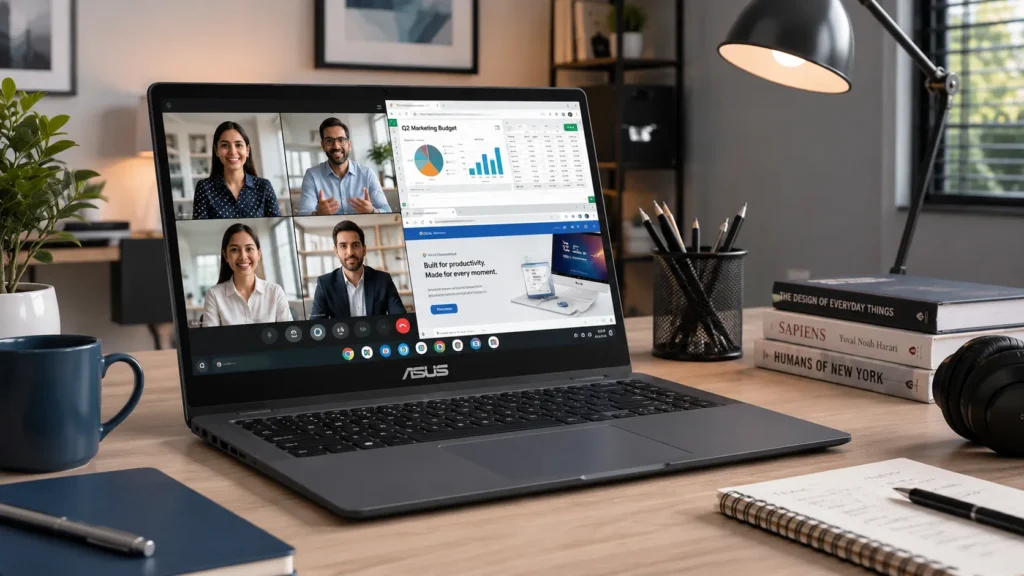
The ASUS Chromebook CM15 is designed for users who prefer a larger display for productivity and entertainment. With its 15.6-inch screen, the CM15 offers more room for multitasking and content consumption.
Larger Display Advantages
The 15.6-inch form factor benefits users who:
- Work with multiple browser tabs
- Edit documents regularly
- Attend video meetings
- Stream movies and TV shows
Work-from-Home Productivity
Remote workers may find the CM15 especially appealing because the larger screen improves comfort during long work sessions. Benefits include:
- Better visibility
- Improved multitasking
- Enhanced video conferencing experience
- Comfortable document editing
Multimedia Experience
The larger display also contributes to a better entertainment experience. Whether watching YouTube, Netflix, or educational content, users gain a more immersive viewing experience compared to smaller Chromebooks.
Design & Build Quality Comparison
Chromebook CM32 Detachable
The CM32 Detachable focuses on mobility and versatility. Best for:
- Students
- Travelers
- Digital note-takers
- Tablet users
Chromebook CM14
The CM14 emphasizes portability while maintaining a traditional laptop experience. Best for:
- College students
- Office workers
- Frequent commuters
Chromebook CM15
The CM15 prioritizes screen size and workspace comfort. Best for:
- Remote workers
- Home users
- Multimedia enthusiasts
All three devices benefit from ASUS’ reputation for reliable build quality and practical design.
ASUS Chromebook CM32 Detachable vs Chromebook CM14 vs Chromebook CM15
| Feature | ASUS Chromebook CM32 Detachable | ASUS Chromebook CM14 | ASUS Chromebook CM15 |
|---|---|---|---|
| Form Factor | 2-in-1 Detachable Tablet + Keyboard | Traditional Laptop | Traditional Laptop |
| Display Size | 10.5-inch | 14-inch | 15.6-inch |
| Resolution | WUXGA (1920×1200) | FHD (1920×1080) | FHD (1920×1080) |
| Touchscreen | Yes | Optional (Variant Dependent) | Optional (Variant Dependent) |
| Aspect Ratio | 16:10 | 16:9 | 16:9 |
| Stylus Support | USI Stylus | No | No |
| Processor | MediaTek Kompanio 520 | MediaTek Kompanio Series | MediaTek Kompanio Series |
| RAM | Up to 8GB LPDDR4X | Up to 8GB LPDDR4X | Up to 8GB LPDDR4X |
| Storage | Up to 128GB eMMC | Up to 128GB eMMC | Up to 128GB eMMC |
| Operating System | ChromeOS | ChromeOS | ChromeOS |
| Android Apps | Yes | Yes | Yes |
| Front Camera | 5MP | HD Webcam | HD Webcam |
| Rear Camera | 8MP Autofocus | No | No |
| Wi-Fi | Wi-Fi 6 | Wi-Fi 6 | Wi-Fi 6 |
| Bluetooth | Bluetooth 5.3 | Bluetooth 5.x | Bluetooth 5.x |
| Battery Life | Up to 12 Hours | Up to 15 Hours* | Up to 15 Hours* |
| Durability | MIL-STD-810H | MIL-STD-810H | MIL-STD-810H |
| Weight | Approx. 610g (Tablet) | Approx. 1.45kg | Approx. 1.7kg |
| Best Use Case | Students, Note-Taking, Education | Everyday Productivity | Office Work & Entertainment |
| Portability | ⭐⭐⭐⭐⭐ | ⭐⭐⭐⭐ | ⭐⭐⭐ |
| Multitasking | ⭐⭐⭐ | ⭐⭐⭐⭐ | ⭐⭐⭐⭐⭐ |
| Entertainment | ⭐⭐⭐ | ⭐⭐⭐⭐ | ⭐⭐⭐⭐⭐ |
ChromeOS Experience Explained
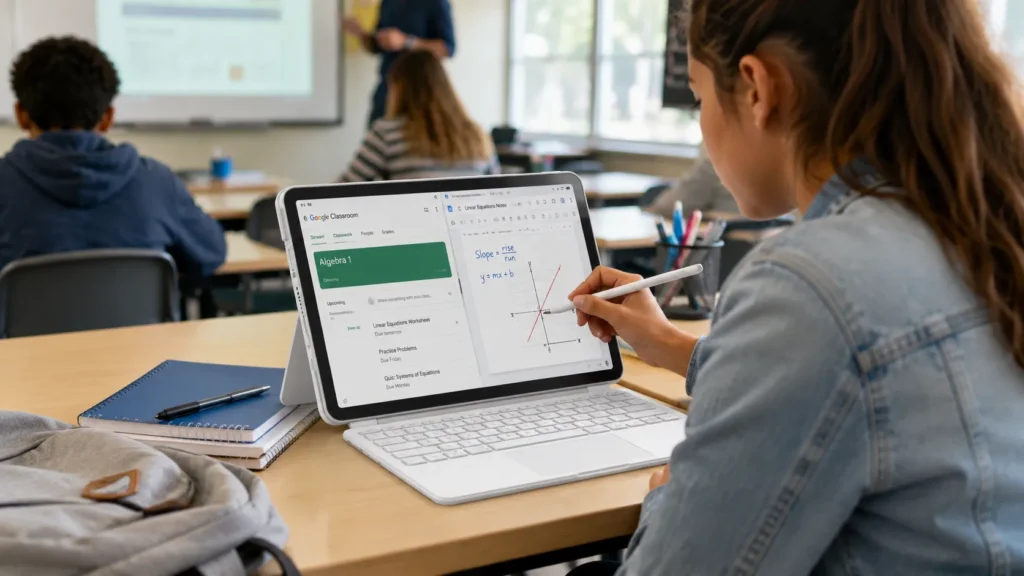
One of the biggest reasons people choose Chromebooks is the simplicity of ChromeOS. Unlike traditional operating systems that often require extensive maintenance, ChromeOS is designed to be lightweight, secure, and user-friendly.
Fast Boot Times
Chromebooks typically start up in seconds, allowing users to get to work almost immediately.
Google Workspace Integration
Users gain seamless access to:
- Google Docs
- Google Sheets
- Google Slides
- Google Drive
- Gmail
This makes collaboration extremely easy for students and professionals.
Android App Support
Modern Chromebooks support apps from the Google Play Store. Popular Android apps can be installed directly on these devices, expanding functionality beyond browser-based applications.
Security Features
ChromeOS includes:
- Automatic security updates
- Sandboxed applications
- Verified boot protection
- Built-in virus resistance
These features help reduce maintenance and security concerns.
Automatic Updates
Updates are installed automatically in the background, ensuring users always have the latest security improvements.
📌 Discover more: Huawei MatePad 12 X 2025 Review – Powerful Features
Performance for Students & Professionals
The new ASUS Chromebook lineup is optimized for everyday productivity rather than high-performance computing.
Online Classes
Students can comfortably use:
- Google Classroom
- Zoom
- Microsoft Teams
- Google Meet
Office Work
Professionals can handle:
- Email communication
- Cloud-based workflows
- Document editing
- Spreadsheet management
Video Conferencing: The efficient hardware and ChromeOS optimization enable smooth virtual meetings.
Content Consumption: Streaming services, social media, and web browsing all perform well on these devices.
Battery Life & Portability
Battery life continues to be a major selling point of Chromebooks. The ASUS Chromebook lineup is designed to deliver reliable all-day usage for most users. Benefits include:
- Less dependence on chargers
- Greater mobility
- Better travel convenience
- Improved productivity during commutes
For students attending multiple classes or professionals working remotely, long battery life can make a noticeable difference.
ASUS Chromebook CM32 vs Traditional Laptops
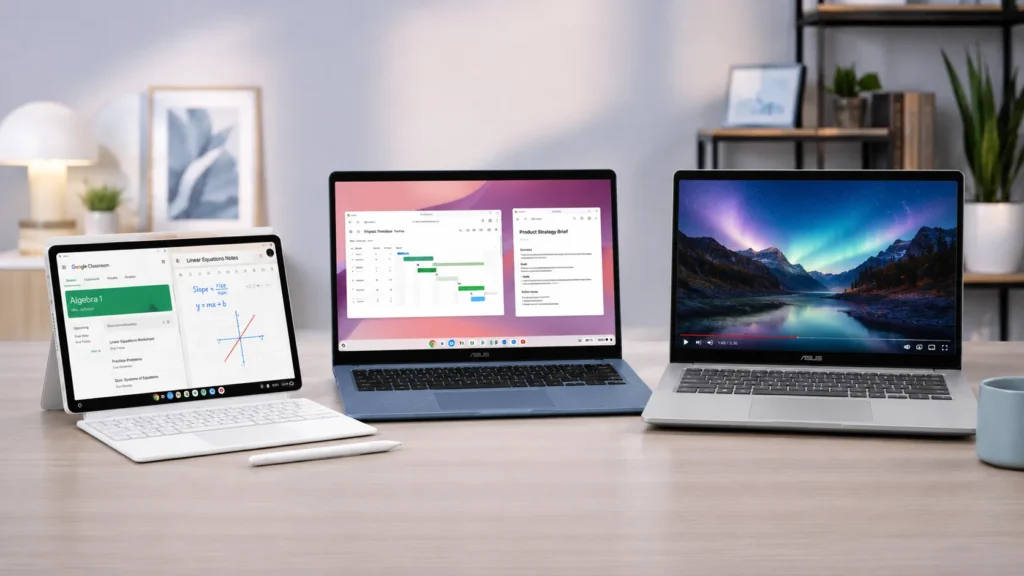
Many buyers wonder whether a Chromebook can replace a traditional Windows laptop.
Advantages of Chromebook
Lower Cost: Chromebooks are generally more affordable than similarly equipped Windows devices.
Better Battery Efficiency: ChromeOS is optimized for lightweight hardware.
Enhanced Security: Built-in protections help reduce security risks.
Simplicity: The platform is easy to learn and maintain.
Advantages of Windows Laptops
Offline Software Support: Windows supports a broader range of professional applications.
Gaming: Gaming options remain significantly better on Windows devices.
Professional Creative Work: Video editing and advanced design software generally perform better on traditional laptops.
Pricing & Availability in India
ASUS has launched the Chromebook CM32 Detachable, Chromebook CM14, and Chromebook CM15 in India through authorized retail channels and online platforms. The lineup is aimed at different user categories:
- CM32 Detachable for mobility-focused users
- CM14 for students and everyday users
- CM15 for productivity-focused buyers seeking a larger display
Interested buyers should check ASUS India’s official channels for the latest regional pricing, configurations, and availability.
Pros & Cons
Pros
- Lightweight and portable
- Long battery life
- ChromeOS simplicity
- Fast boot times
- Android app support
- Secure platform
- Affordable pricing
- Ideal for students
Cons
- Limited offline software compatibility
- Not intended for heavy gaming
- Unsuitable for professional video editing
- Cloud-first workflow may not suit everyone
Who Should Buy These Chromebooks?
Students: The CM32 Detachable and CM14 are excellent choices for educational use.
Teachers: Stylus support and cloud collaboration features improve classroom productivity.
Office Users: The CM15 provides a larger workspace for daily office tasks.
Remote Workers: ChromeOS offers a secure and efficient platform for hybrid work environments.
First-Time Laptop Buyers: The simple interface and low maintenance requirements make Chromebooks beginner-friendly.
Final Verdict
The ASUS Chromebook CM32 Detachable stands out as the most innovative model in the lineup thanks to its detachable design, touchscreen functionality, and stylus support. It is arguably the best option for students, educators, and users who value flexibility.
The ASUS Chromebook CM14 strikes the best balance between portability and productivity, making it an excellent everyday laptop.
Meanwhile, the ASUS Chromebook CM15 is the ideal choice for users who prioritize screen size and workspace comfort.
As we move through 2026, Chromebooks continue to evolve into capable alternatives to traditional laptops for many users. While they are not designed to replace high-performance Windows machines, they offer compelling advantages in affordability, battery life, security, and ease of use.
For students, remote workers, and cloud-first users, the new ASUS Chromebook lineup presents some of the most practical computing options currently available in the Indian market.
Frequently Asked Questions
Q1. What is ASUS Chromebook CM32 Detachable?
A1. The ASUS Chromebook CM32 Detachable is a 2-in-1 ChromeOS device featuring a detachable keyboard, touchscreen display, and stylus support.
Q2. Does ASUS Chromebook CM32 come with a stylus?
A2. Yes. The device supports a USI stylus, making it suitable for note-taking, drawing, and classroom use.
Q3. Can Chromebooks run Android apps?
A3. Yes. Modern Chromebooks support Android applications through the Google Play Store.
Q4. Is Chromebook good for students?
A4. Absolutely. Chromebooks are known for affordability, security, long battery life, and easy integration with educational platforms.
Q5. What is the battery life of ASUS Chromebook CM32?
A5. The Chromebook CM32 is designed to deliver all-day battery life for typical productivity and educational workloads.
Q6. Which Chromebook should I buy in India?
A6. Choose the CM32 Detachable if you want maximum flexibility, the CM14 if you need a balanced everyday laptop, and the CM15 if you prefer a larger display for productivity and entertainment.
Disclaimer: Product prices, features, and specifications mentioned on this website may change without notice. Please check the official brand website or trusted retailers for the latest updates before making any purchase.
Related Posts
- how much RAM do you need in a smartphone? 6GB vs 8GB vs 12GB vs 16GB
- ASUS Vivobook S16 Price, Specifications, Features & Is It Worth Buying 2026?
- Best AI Laptops in 2026: Which One Should You Buy?
- Apple Mac mini M6 & M5 Pro: Price, Specs, Features & Availability
- MacBook Neo Review 2026, A18 Pro, 8GB RAM, 256GB SSD: Is Apple’s Cheapest MacBook Worth Buying?
- Best ANC Earbuds of 2026: Top 5 Noise Cancelling Wireless Earbuds Compared
- Best Gaming Laptops 2026: Top Picks for Every Budget
- Best Laptop Under ₹50000 in India 2026 | Top 10 Latest Picks
Laptop Lava Mahindra OnePlus Oppo Samsung Skoda Tata Tecno Vivo Volkswagen Xiaomi
Share:

Aman is a content writer specializing in technology and automobile topics, including smartphones, gadgets, car reviews, and electric vehicles. He creates clear and informative articles that help readers understand the latest updates, features, and trends in a simple and reliable way.