
Apple has finally made a MacBook that is much easier to recommend to people who do not want to spend MacBook Air money. The MacBook Neo brings an aluminum design, macOS, a 13-inch Liquid Retina display and Apple’s A18 Pro chip into a much cheaper package.
But the low price comes with some important compromises.
The base model combines an A18 Pro chip, 8GB unified memory and a 256GB SSD. That makes the MacBook Neo interesting for students, office workers and first-time Mac buyers, but it also raises two obvious questions: Is 8GB RAM enough in 2026, and is 256GB storage enough?
Those questions matter more than the A18 Pro name.
MacBook Neo Review Quick Verdict
| Category | Verdict |
|---|---|
| Design | Strong |
| Everyday performance | Strong |
| Display | Good |
| Keyboard | Good, with limitations |
| Trackpad | Good |
| Battery | Strong |
| Webcam | Good for everyday calls |
| Speakers | Good for the class |
| Gaming | Limited |
| Coding | Good for compatible workflows |
| Video editing | Suitable for light workloads |
| 8GB RAM | Enough for basic/medium workloads |
| 256GB SSD | Main limitation |
| Overall value | Strong for the right buyer |
The MacBook Neo is worth buying if your main activities are browsing, office work, studying, streaming, writing, research, light coding and occasional creative work.
It becomes much less attractive if you regularly use virtual machines, large development environments, professional video-editing projects, huge photo libraries or demanding games.
MacBook Neo Price in India
The current official Apple India price for the base MacBook Neo 256GB is ₹79,900. Apple also lists education pricing at ₹69,900, making it particularly interesting for eligible college students and educators.
The regular configuration is:
- ₹79,900 — MacBook Neo with 8GB unified memory and 256GB SSD
- ₹69,900 — education pricing, where eligible
- ₹89,900 — 512GB version, which also adds Touch ID according to independent testing
The exact retailer price can change because of bank offers, exchange discounts and seasonal sales. Those discounts should be treated separately from Apple’s official price.
For Indian buyers, the education price is especially significant because the MacBook Neo becomes considerably cheaper than the current MacBook Air.
📌 Read more:
- Best Smartphones for Students in 2026: Battery, Performance, Camera and Value
- Xiaomi 18 Pro vs Xiaomi 18 Pro Max: Price, Specifications, Features and Full Review
- Apple Event iPhone 18 Pro and iPhone 18 Pro Max, iPhone Duo & Apple Watch Series 12, Apple Watch Ultra 4 and AirPods 5.
- POCO F9 Ultra Price, Specifications, Features and Full Review
- Best Camera Phones 2026: Top 5 Phones for Photography and Video
- Best Phones With 8000mAh Battery in 2026
MacBook Neo Feature & Specifications
| Specification | MacBook Neo |
| Processor | Apple A18 Pro |
| CPU | 6-core |
| GPU | 5-core |
| Neural Engine | 16-core |
| RAM | 8GB unified memory |
| Storage | 256GB SSD |
| Display | 13-inch Liquid Retina |
| Resolution | 2408 × 1506 |
| Pixel density | 219 ppi |
| Refresh rate | 60Hz |
| Brightness | 500 nits |
| Colour | 1 billion colours, sRGB |
| Webcam | 1080p FaceTime HD |
| Wi-Fi | Wi-Fi 6E |
| Ports | 2 × USB-C, 3.5mm headphone jack |
| Battery | 36.5Wh |
| Battery rating | Up to 16 hours video streaming |
| Operating system | macOS |
| Weight | 1.23kg |
| Finishes | Silver, Blush, Citrus, Indigo |
Apple confirms the A18 Pro has a six-core CPU, five-core GPU and 16-core Neural Engine, while the display uses IPS technology with 2408 × 1506 resolution and 500-nit brightness.
Read: Nothing Phone 4a Pro vs Samsung Galaxy A57 5G
Design and Build Quality
One of the biggest reasons to consider the Apple MacBook Neo is that it does not look like a budget laptop.
Apple uses a durable aluminum enclosure and offers four finishes: Silver, Blush, Citrus and Indigo. The laptop weighs about 1.23kg, making it easy to carry between classes, offices and homes.
This matters because many similarly priced Windows laptops focus more heavily on specifications than materials and overall design. The Neo is therefore particularly appealing to:
- Students carrying a laptop every day
- Office workers
- Frequent travelers
- People buying their first Mac
- Users who want a compact 13-inch laptop
The important point is that the MacBook Neo feels like an affordable entry into the Mac lineup rather than a stripped-down computer designed only to hit a low price.
MacBook Neo Display
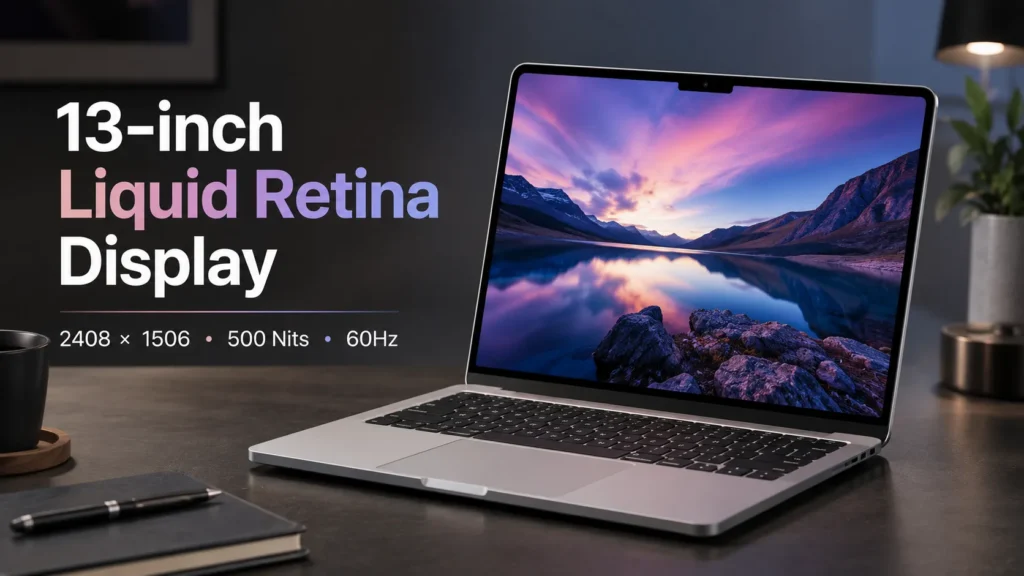
The MacBook Neo has a 13-inch Liquid Retina IPS display with a 2408 × 1506 resolution, 219 pixels per inch, 500 nits brightness and support for one billion colours. Apple lists sRGB colour support rather than the wider P3 gamut found on the MacBook Air.
For normal use, this is a very sensible display. It is well suited to:
- Web browsing
- Microsoft Office
- Google Docs
- Online classes
- Research
- Netflix and YouTube
- Photo browsing
- General productivity
However, there are two things to remember.
- First, it is a 60Hz display. Some Windows laptops now offer 90Hz, 120Hz or higher refresh rates at similar prices.
- Second, users specifically looking for OLED should look elsewhere. The Neo uses IPS technology.
So the display is good for everyday work, but it is not one of the reasons to buy the Neo over a MacBook Air.
Read: OnePlus 15T vs iQOO Neo 10 – Best Performance Phone
MacBook Neo A18 Pro Performance
The A18 Pro is probably the most interesting part of the MacBook Neo.
Apple normally uses A-series processors in its iPhone and iPad products, while its Macs have traditionally used M-series chips. The Neo changes that formula by putting the A18 Pro into a laptop. The chip has:
- 6-core CPU
- 5-core GPU
- 16-core Neural Engine
- Hardware-accelerated ray tracing
- 60GB/s memory bandwidth
- Hardware-accelerated video technologies
The important question is not whether the A18 Pro sounds powerful. It is whether it is powerful enough for everyday Mac tasks. The answer is yes.
For a student or office worker, the A18 Pro is not the problem. The 8GB memory configuration is the bigger long-term limitation.
Is 8GB RAM Enough in 2026?
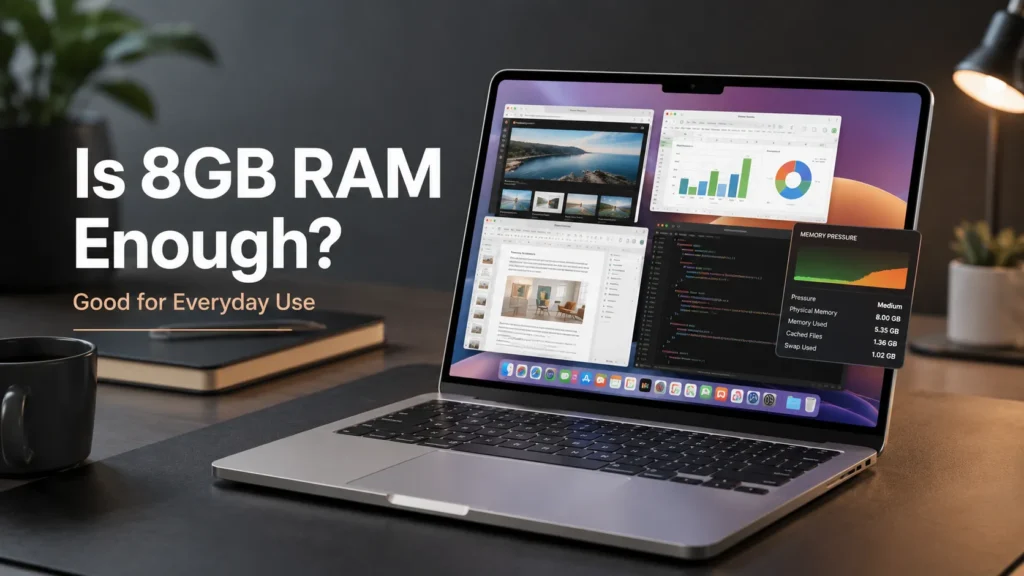
This is the most important question in this MacBook Neo review.
Short answer: Yes for normal users, but not for everyone.
The MacBook Neo comes with 8GB unified memory, and Apple does not offer a higher-memory configuration. Independent testing confirms that the memory is not upgradeable.
8GB RAM is suitable for:
- Web browsing
- Google Docs
- Microsoft Office
- Online classes
- Research
- Streaming
- Basic coding
- Light photo editing
- Social media
- Normal multitasking
If your typical day involves Safari tabs, Word, Excel, email, YouTube and occasional coding, 8GB can be perfectly usable.
8GB becomes limiting for:
- Heavy multitasking
- Large creative projects
- Virtual machines
- Heavy Docker workloads
- Large development environments
- Professional video editing
- Large datasets
- Extensive photo libraries
When available memory becomes insufficient, macOS can use SSD storage as virtual memory, commonly called swap. This allows the computer to continue operating, but it is not a replacement for having more physical memory.
Interestingly, Macworld pushed the Neo through demanding workloads including 4K video editing and more than 40 browser tabs and reported that the system continued operating despite significant swap usage.
That does not mean 8GB is equivalent to 16GB. It means the Neo can be more capable than its specification sheet initially suggests. For a buyer asking Is MacBook Neo 8GB RAM enough?, the best answer is:
Yes for everyday computing. No if you already know your workload regularly needs more memory.
Read: Best Laptop Under ₹50000 in India 2026 | Top 10 Latest Picks
Is 256GB SSD Enough?
Storage is arguably an even bigger problem. The base MacBook Neo has a 256GB SSD, and this is the configuration most buyers will encounter at the lowest price. Apple also sells a 512GB version.
A 256GB SSD can work if you use cloud storage and do not keep large media libraries locally.
256GB is enough if you:
- Use iCloud or other cloud storage
- Stream movies and music
- Keep documents relatively small
- Do not install many large apps
- Use external storage when necessary
256GB may feel restrictive if you:
- Edit video
- Store lots of photos
- Keep large games
- Download large media libraries
- Work with large datasets
- Install many professional applications
The problem is that the SSD is not something you should expect to upgrade later. That makes the purchase decision important.
If you can comfortably afford the 512GB model, the extra storage gives the MacBook Neo considerably more breathing room.
MacBook Neo Battery Life
Apple rates the MacBook Neo for up to 16 hours of video streaming and up to 11 hours of wireless web use, using its built-in 36.5Wh battery. These are Apple’s controlled test results, not a guarantee for every user.
Actual battery life can change depending on:
- Screen brightness
- Browser usage
- Video calls
- Background applications
- External devices
- Gaming
- Creative workloads
- Wireless activity
For students and office workers, battery life should generally be considered a strength rather than a weakness.
Keyboard and Trackpad
The Neo uses Apple’s Magic Keyboard and a large Multi-Touch trackpad. Apple says the trackpad supports tap, pinch, swipe and click gestures across its surface. Independent testing has generally been positive about the keyboard and trackpad.
📌 Read more:
- Tata Aeris 2026 Price, Specifications, Features, Variants and Mileage
- Mahindra XUV 3XO REVX EDGE Launched: Price, Features & Specs
- Tata Sierra Legend Series Launched: Price, Features and Variants
- Mahindra Thar Facelift 2026: Price, Features, Specifications and What’s New
- Tesla Cybercab Robotaxi Launches in Austin: Price, Features & How It Works
- Kia Sorento 2026 Price, Features, Specifications and Launch Detail
Does MacBook Neo Have Touch ID?
- The base 256GB MacBook Neo does not include Touch ID.
- The 512GB model adds Touch ID, according to independent testing and configuration information.
- This is one of Apple’s less obvious ways of differentiating the two configurations.
- If Touch ID matters to you, the 512GB model becomes more attractive because you are effectively getting both more storage and biometric authentication.
Webcam, Speakers and Microphone
The MacBook Neo has a 1080p FaceTime HD camera, two side-firing speakers and dual microphones. That makes it well suited to:
- Zoom calls
- Google Meet
- Online classes
- Remote work
- Family video calls
- Casual content creation
Read: ASUS Chromebook CM32 Detachable, CM14 & CM15 Launch
Ports and Connectivity
The MacBook Neo provides:
- Two USB-C ports
- 3.5mm headphone jack
- Wi-Fi 6E
- Bluetooth 6
Apple confirms the two USB-C ports and headphone jack, while independent testing identifies different USB capabilities between the two USB-C ports.
Two USB-C ports are enough for many users, but they can become limiting if you connect:
- External storage
- Monitor
- Mouse
- Keyboard
- SD card reader
- Other accessories
A USB-C hub may therefore be useful for office and creative setups.
MacBook Neo for Students

The MacBook Neo makes a lot of sense as a MacBook Neo student laptop.
Apple itself positions it toward students and everyday assignments, and the combination of compact size, battery efficiency and macOS makes it attractive for college work. It is good for:
- Notes
- Research
- Presentations
- Microsoft Office
- Google Workspace
- Online classes
- Coding
- Browsing
- Video calls
The biggest question is software compatibility. Engineering students, for example, may need Windows-only applications. Some specialist university software also works better on Windows.
So the best MacBook Neo for students recommendation is: Buy it if your course software works on macOS. Choose Windows if your university specifically depends on Windows-only applications.
MacBook Neo for Coding
For normal software development, the Neo is surprisingly capable. It can handle:
- HTML/CSS
- JavaScript
- React
- Node.js
- Git
- VS Code
- Terminal-based development
- General web development
The problem appears when the development environment becomes memory-heavy. Running multiple services, Docker containers, virtual machines, databases and large IDE projects simultaneously can put much more pressure on 8GB unified memory.
For a student learning programming or a web developer working on normal projects, the MacBook Neo for coding is reasonable.
For a professional developer who already knows they need multiple heavy development environments, a MacBook Air with more memory is the safer long-term choice.
MacBook Neo for Video Editing
The A18 Pro includes hardware video capabilities, so the Neo is not incapable of creative work. Apple also positions it for everyday creative tasks.
However, the base configuration has two obvious restrictions: 8GB RAM + 256GB storage. That makes it better suited to:
- Short 1080p projects
- Light editing
- Occasional 4K work
- Social media videos
- Simple Final Cut Pro projects
- Basic Premiere Pro work
It is not the MacBook I would choose for someone editing large 4K or professional projects every day.
Macworld’s independent stress testing showed that the Neo could handle surprisingly demanding workloads, including 4K editing, but that does not change the fundamental hardware limits of the base configuration. For serious creators, the MacBook Air is the more sensible step up.
MacBook Neo Gaming
Should you buy the MacBook Neo primarily for gaming? No.
The A18 Pro GPU can handle supported games, but the problem is the Mac gaming ecosystem rather than simply the chip. Many PC games are still designed primarily around Windows, and macOS has a smaller game library.
The Neo is fine for:
- Casual games
- Apple Silicon-optimized games
- Supported indie titles
- Less demanding gaming
But if gaming is your main reason for buying a laptop, a Windows laptop is usually the better choice.
MacBook Neo vs MacBook Air

This is where the buying decision becomes much clearer.
The current 13-inch MacBook Air uses Apple’s M5 chip, starts at ₹1,49,900 in India, and comes with 16GB unified memory and 512GB SSD. It also has a 13.6-inch display, P3 colour, True Tone, a backlit keyboard, Touch ID, MagSafe and Thunderbolt 4 ports.
| Feature | MacBook Neo | MacBook Air M5 |
| Starting India price | ₹79,900 | ₹1,49,900 |
| Chip | A18 Pro | M5 |
| RAM | 8GB | 16GB |
| Storage | 256GB | 512GB |
| Display | 13-inch, 60Hz | 13.6-inch |
| Brightness | 500 nits | 500 nits |
| Keyboard | Not backlit | Backlit |
| Touch ID | 512GB model | Yes |
| Charging | USB-C | MagSafe 3 + USB-C |
| External displays | More limited | Up to two |
| Best for | Everyday use | Demanding users |
Buy MacBook Neo if:
- Budget is your priority
- You mainly study or work
- You want macOS at the lowest price
- 8GB RAM fits your workload
- 256GB storage is manageable
Buy MacBook Air if:
- You need 16GB or more RAM
- You edit photos or video regularly
- You code heavily
- You need more storage
- You want more ports and expansion flexibility
- You want better long-term headroom
The price difference is large, so the Neo still makes sense. The Air is simply a much more capable computer.
Read: Huawei MateBook Fold Ultimate: Perfect 18” Foldable Laptop
MacBook Neo vs Windows Laptops
The MacBook Neo is not automatically better than every Windows laptop at its price.
MacBook Neo advantages
- Premium aluminum construction
- macOS
- Apple ecosystem
- Compact design
- Good battery efficiency
- Strong everyday performance
- Excellent integration with iPhone
Windows advantages
- More RAM at some price points
- More storage at some price points
- Wider hardware selection
- More ports on many models
- Better gaming compatibility
- Broader Windows software compatibility
If you already use an iPhone and appreciate Apple’s ecosystem, the Neo becomes more attractive. If your priority is maximum hardware specifications per rupee, Windows deserves serious consideration.
MacBook Neo Pros and Cons
Pros
- A18 Pro chip
- Premium aluminum design
- Compact 1.23kg form factor
- Strong everyday performance
- Good battery efficiency
- macOS
- Sharp 500-nit display
- 1080p webcam
- Good keyboard and trackpad
- Apple ecosystem
- Attractive entry price
Cons
- Only 8GB RAM
- 256GB base storage
- 60Hz display
- No backlit keyboard
- Limited port selection
- Base model lacks Touch ID
- Gaming compatibility is limited
- Not designed for heavy professional workloads
Who Should Buy the MacBook Neo?
The MacBook Neo is a strong choice if you are:
- A student: It is portable, capable and relatively affordable, especially with education pricing.
- An office worker: Email, documents, spreadsheets, meetings and browser-based work are exactly the type of workload the Neo handles well.
- A writer or researcher: The display, keyboard, battery and portability make it a sensible productivity machine.
- A casual programmer: Web development and general coding are fine as long as your projects do not require heavy virtual machines or memory-intensive workflows.
- A first-time Mac buyer: The Neo offers a relatively inexpensive way to enter the Apple ecosystem.
- A frequent traveler: Its compact design and low weight are significant advantages.
Who Should NOT Buy the MacBook Neo?
Avoid the base model if you are:
- A professional video editor
- A heavy software developer
- A 3D artist
- A serious gamer
- A virtualization-heavy user
- Someone who needs 16GB+ RAM
- Someone who needs 512GB or more internal storage
- Someone dependent on Windows-only applications
For these buyers, spending more on a MacBook Air or choosing a Windows laptop with stronger specifications may make more sense.
MacBook Neo: Is It Worth Buying in 2026?

It is worth buying if:
- Your workload is light to medium
- You value macOS
- You want a compact laptop
- You mainly browse, study or work
- You can live with 8GB RAM
- You can manage 256GB storage
It is not worth buying if:
- You need professional workstation performance
- You regularly need more than 8GB memory
- You need large local storage
- Gaming is your priority
- Your work depends on Windows-only software
The most important thing is not to buy the Neo simply because it has an A18 Pro chip. The A18 Pro is capable, but the surrounding configuration determines what the laptop is actually good at.
Final Verdict: MacBook Neo Review
The MacBook Neo is one of the most interesting budget MacBooks Apple has ever made.
Its biggest achievement is not simply putting an A18 Pro chip into a laptop. It is bringing Apple’s aluminum design, macOS, good display, capable camera, solid keyboard and trackpad, and efficient everyday performance into a much lower price category.
But Apple has clearly chosen where to cut costs.
The 8GB RAM ceiling is the biggest concern for demanding users, while the 256GB SSD is the biggest practical limitation for people who store lots of files locally. The lack of a backlit keyboard and Touch ID on the base configuration are additional compromises.
For the right buyer, however, these limitations are manageable.
If you are a student, office worker, writer, researcher, casual programmer or first-time Mac user, the base MacBook Neo can be a very good everyday laptop.
If you are a professional creator, heavy developer or serious gamer, it is better to spend more or consider a Windows alternative.
The MacBook Neo is not designed to replace the MacBook Air or MacBook Pro. Its strength is delivering a good macOS experience at a lower price, provided the buyer understands the 8GB RAM and 256GB storage limitations.
That is ultimately what makes the MacBook Neo worth buying in 2026: not because it is the most powerful Mac, but because it gives everyday users enough Mac for considerably less money.
📌 Read more:
- how much RAM do you need in a smartphone? 6GB vs 8GB vs 12GB vs 16GB
- Best AI Laptops in 2026: Which One Should You Buy?
- Apple Mac mini M6 & M5 Pro: Price, Specs, Features & Availability
- MacBook Neo Review 2026, A18 Pro, 8GB RAM, 256GB SSD: Is Apple’s Cheapest MacBook Worth Buying?
- Best ANC Earbuds of 2026: Top 5 Noise Cancelling Wireless Earbuds Compared
- Xiaomi Watch S5 46mm vs Redmi Watch 6 NFC vs Redmi Watch 6
MacBook Neo Review FAQ
Q1. Is the MacBook Neo worth buying in 2026?
A1. Yes, if you mainly browse, study, work, stream content or perform light coding and creative tasks. Heavy users should consider a MacBook Air or a Windows alternative.
Q2. Is 8GB RAM enough for MacBook Neo?
A2. 8GB is enough for everyday productivity, browsing, office applications and light development. It becomes limiting with virtual machines, heavy multitasking and professional creative workloads.
Q3. Is 256GB storage enough?
A3. It can be enough for cloud-focused users, but 256GB is the biggest limitation of the base model. Users with large photo, video or application libraries should consider 512GB.
Q4. Is MacBook Neo good for students?
A4. Yes. Its compact design, battery life, macOS software and relatively low starting price make it a strong student laptop, provided required university software supports macOS.
Q5. Is MacBook Neo good for coding?
A5. Yes for web development, JavaScript, React, Node.js, Git and general programming. Heavy Docker, virtualization and large development environments can push the 8GB memory configuration.
Q6. Can MacBook Neo run games?
A6. It can run supported Apple Silicon and macOS games, but it is not a gaming-first laptop. Windows remains the better platform for broad game compatibility.
Read: Best Gaming Laptops 2026: Top Picks for Every Budget
Q7. Is MacBook Neo good for video editing?
A7. It is suitable for light and occasional editing. Professional editors working with large 4K projects should choose a Mac with more memory and storage.
Q8. Does MacBook Neo have a backlit keyboard?
A8. No. Independent testing confirms that the Neo’s keyboard lacks backlighting.
Q9. Does MacBook Neo have Touch ID?
A9. Touch ID is available on the 512GB model. The base 256GB configuration does not include it.
Q10. How long does the MacBook Neo battery last?
A10. Apple rates it for up to 16 hours of video streaming and up to 11 hours of wireless web use. Actual battery life depends on workload and settings.
Q11. Is MacBook Neo better than a Windows laptop?
A11. Not universally. The Neo offers macOS, Apple ecosystem integration, premium construction and efficient performance, while Windows laptops can offer more RAM, storage, ports, gaming compatibility and software flexibility.
Q12. Is MacBook Neo better than MacBook Air?
A12. The MacBook Neo is better for buyers who prioritize price. The current M5 MacBook Air is significantly more capable and starts with 16GB RAM and 512GB storage, making it better for demanding and long-term workloads.
Q13. Can the MacBook Neo RAM be upgraded?
A13. No. The 8GB unified memory is not user-upgradeable.
Q14. Can the MacBook Neo SSD be upgraded?
A14. The internal SSD is not designed as a user-upgradeable component. Buyers should therefore choose their storage carefully when purchasing.
Disclaimer: Product prices, features, and specifications mentioned on this website may change without notice. Please check the official brand website or trusted retailers for the latest updates before making any purchase.
Related Posts
- ASUS Vivobook S16 Price, Specifications, Features & Is It Worth Buying 2026?

- Best AI Laptops in 2026: Which One Should You Buy?

- MacBook Neo Review 2026, A18 Pro, 8GB RAM, 256GB SSD: Is Apple’s Cheapest MacBook Worth Buying?
- Best Gaming Laptops 2026: Top Picks for Every Budget

- Best Laptop Under ₹50000 in India 2026 | Top 10 Latest Picks

- MSI Modern 14 C13M-115IN Laptop Review: Specifications, Features, Price & Performance

- ASUS Chromebook CM32 Detachable, CM14 & CM15 Launched in India: Price & Specs
- Acer Nitro V15 2025 Powerful Gaming Laptop Review & Price

Latest Phone
- Lava Virat Curve 5G
 ₹20,999
 - OnePlus N6 Lite 4G
 ₹16,999
 - AI+ Nova 2 Power 5G
 ₹16,999
 - Google Pixel 11
 ₹89,999

Abdul Azeem is a content writer covering automobiles, smartphones, gadgets, and electric vehicles. He writes informative and easy-to-understand articles focused on the latest launches, features, comparisons, and technology updates for everyday readers.